


This is a submission for the GitHub Copilot CLI Challenge
What I Built
I built a desktop app for Copilot to work on taks in a Ralph loop mode. The app has a plan mode and also creates git commits for each task.
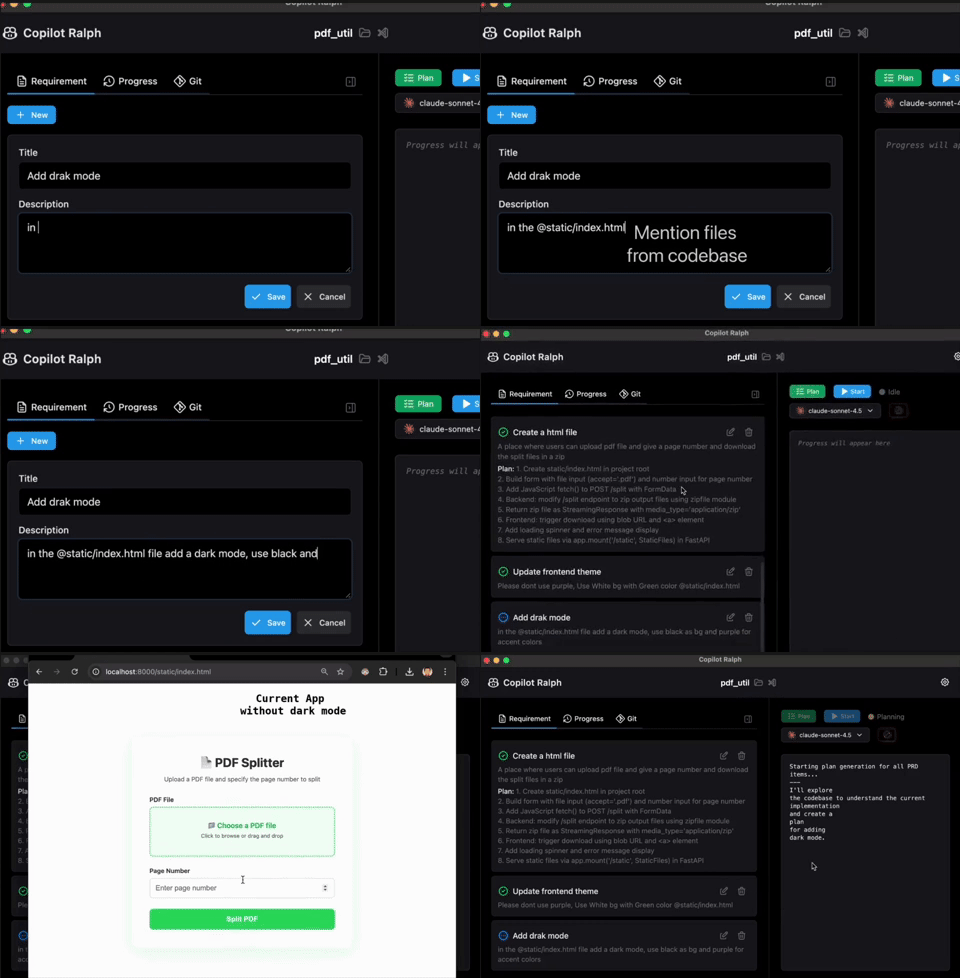
Demo
GitHub Repository
YouTube Demo
Inspiration
Original post on Ralph loop. This is the post that triggered the Ralph way to use claude code. And I thought of building an UI for this for copilot because, TBH, Copilot is the chepest pricing I could find right now for AI assisted coding.
My app doesn’t strictly follow the OP, because I’ve moved some responsibilities out of the AI layer and into the orchestration layer. The system now handles the following tasks:

- Linear selection of requirements
- process.txt updates after each task
- Creating Git commits
I made this way so the system is predictable and to reduce ambiguity of relying on AI
My Experience with GitHub Copilot CLI
This is my first experice with AI in CLI (yes I dont have Claude code), before this I have used copilot only inside VSCode but using it in a CLI feels like more control. I liked how we can mention files with @ (which I also included in my app btw). I also loved the --yolo flag and I was mostly starting my sessions with yolo mode. Almost forgot to mention the --resume session was a saver and the information on how much premium request info at end of session was really helpful.
Choosing models
I must say this, choosing models in copilot felt more like a survival game. As I'm in a free tier I dont want to lose all my premium requests, since my app in itself is an UI for copilot, so testing the app also means additional calls so I followed this strategy. Sonnet 4.5 for normal tasks and Opus only when required so I dont use x3 the limit.
This is my typical flow
- Start in yolo mode
- Select models based on requirement.
- Choose the files I think the AI should know for the task
- First the Plan mode
- Then Execute mode
Thanks for reading
A like on the post ❤️ would be great.

Top comments (0)